Punch clock
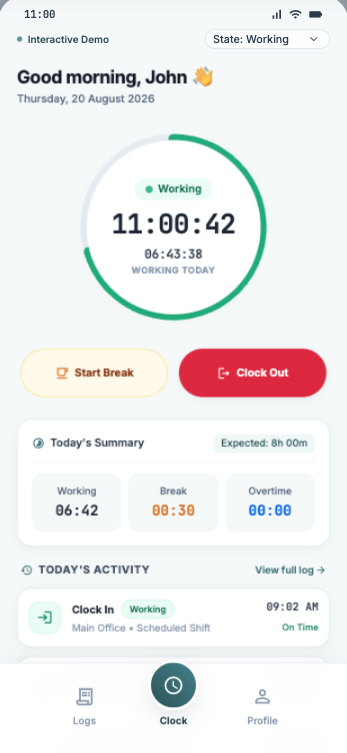
Check in and out, start and end breaks. Overtime is calculated after a full workday. Overnight sessions are supported.
Working
11:00:11
06:43:07 Working today
Attendance. Working time. Workforce ops.
One clock for attendance, projects, absences, and your team.
arbeituhr gives teams a simple way to clock in, manage breaks and overtime, track project time, request absences, and see who's working — all in one place.
Built for teams that value clarity.
Simple enough for everyday use. Powerful enough for growing teams.
The problem
Many teams still rely on disconnected punch logs, spreadsheets, messages, and separate timesheets. That makes it harder to understand who is working, how much time was worked, and where that time belongs.
Attendance logs
Spreadsheets
Separate timesheets
Manual corrections
The solution
arbeituhr brings attendance, working time, project time, absences, and team visibility together in one practical workspace.
Check in and out, start and end breaks. Overtime is calculated after a full workday. Overnight sessions are supported.
Working
11:00:11
06:43:07 Working today
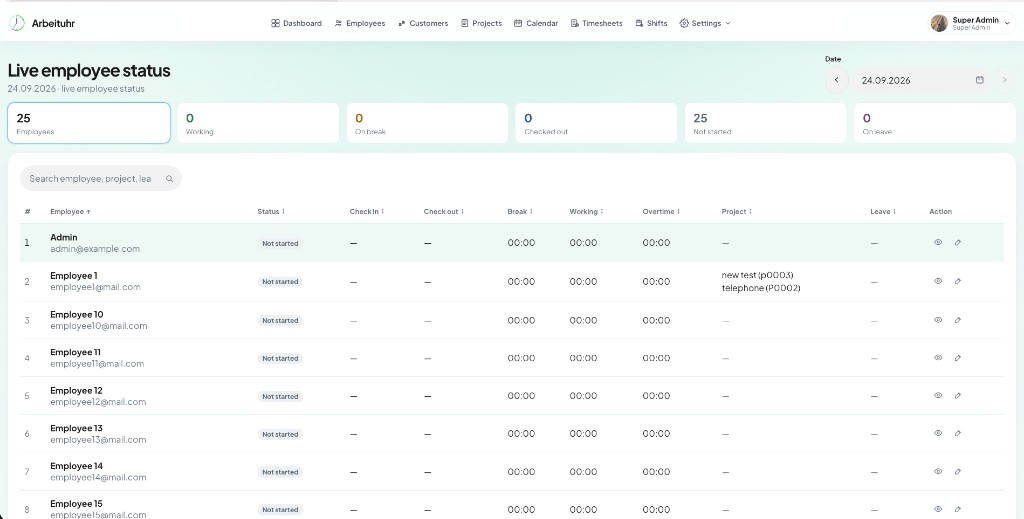
See who's working, on break, checked out, not started or on leave — updated in real time.
Tag the current project while the clock runs. See personal or team time worked by project and period.
Project name
telephone
Customer
web soft C0001
Stage
In progress
Request vacation, illness, training and more. Full or half day, or by time. Add substitutes and attachments. Approve with ease.
See arbeituhr in action
The same surfaces your team will use every day — attendance, projects, absences, and more.
Live employee status, working hours, and team overview.
Tag time to customers and projects while the clock runs.
Request and approve absences from one shared calendar.
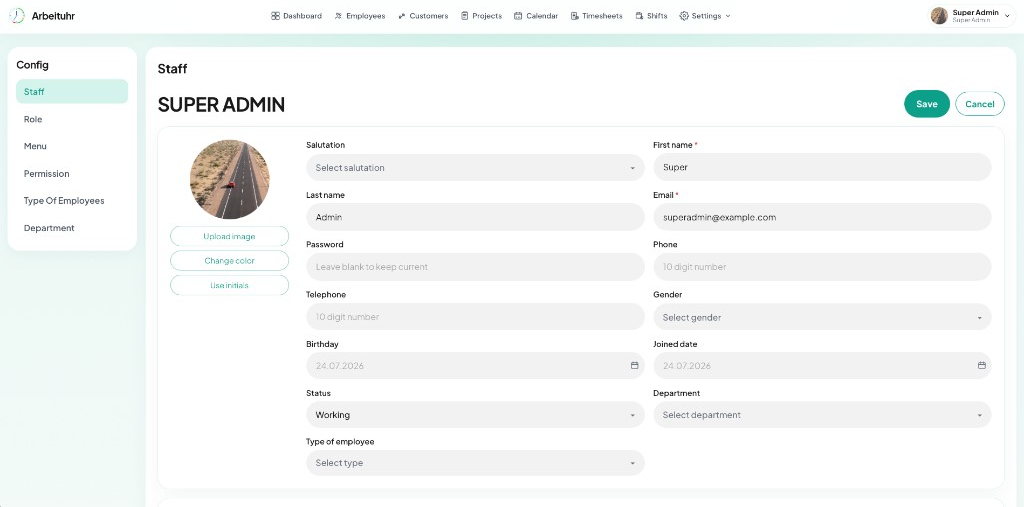
Manage people, roles, and day-to-day attendance.
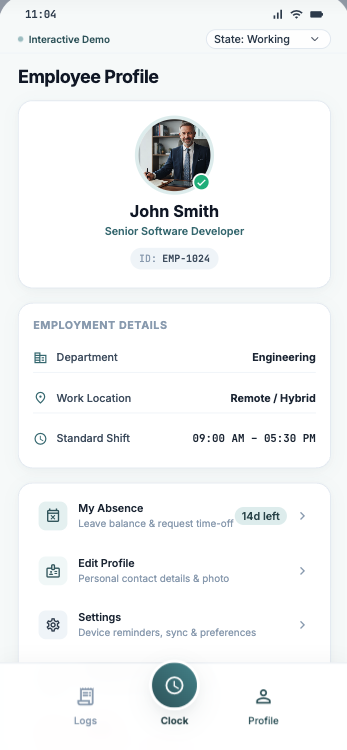
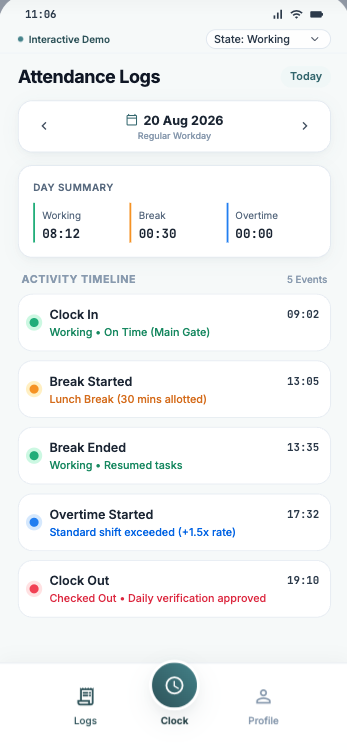
Punch clock, logs, and profile — wherever you work.
Live team visibility
Get a live overview of your team and quickly understand who's working, on break, checked out, not started, or on leave.
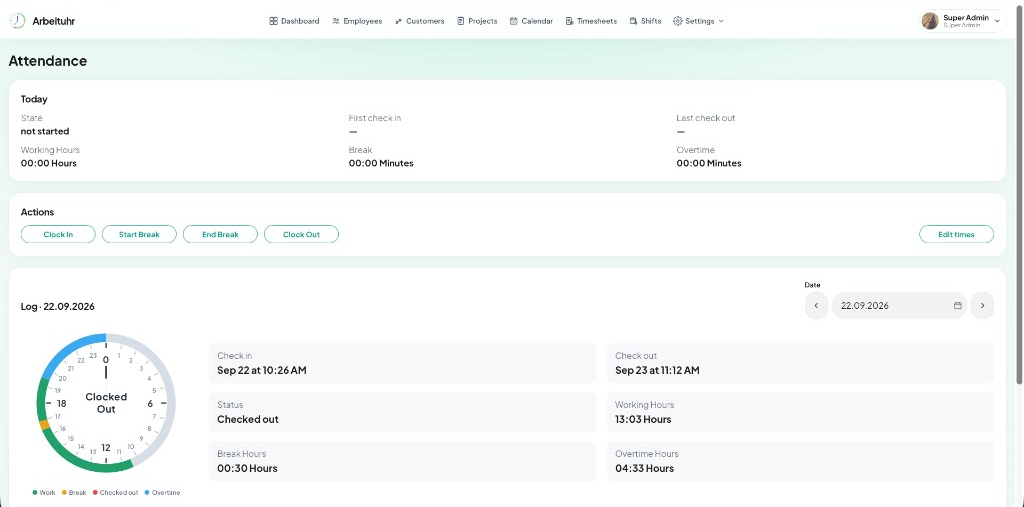
arbeituhr records the working day explicitly. It doesn't silently invent working time.
Manual edits are available when corrections are actually needed.
Clock in
Working
Start break
End break
Clock out
Working hours
Break duration
Overtime
Employees can tag their current project while working. Managers can understand time worked by project without forcing employees to maintain a separate timesheet.
Employees can request absences and managers can review and approve them from one shared calendar.
Profile system
From mobile self-service to full admin profile management — contact details, roles, departments, and absences stay in one place.
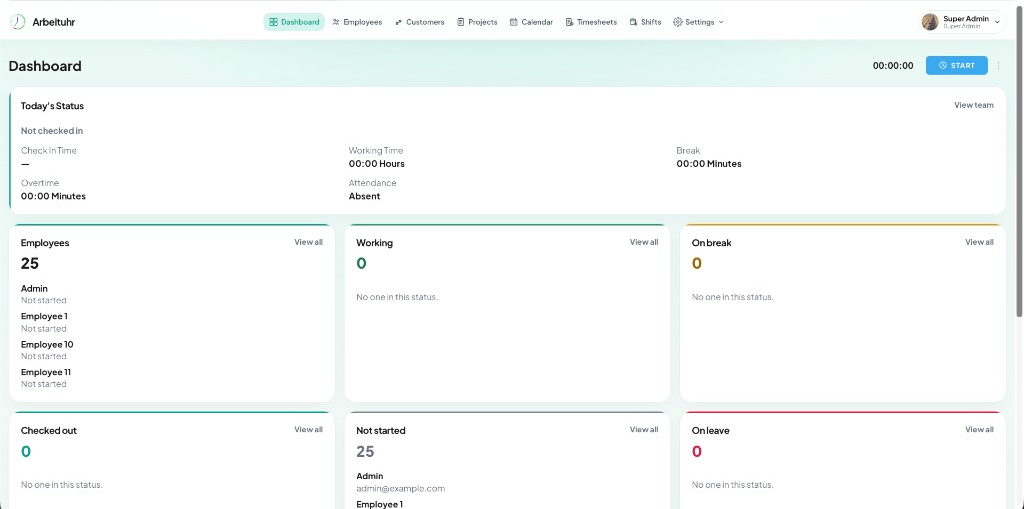
Keep attendance, team status, people, projects, and the calendar in one operational view.
arbeituhr keeps the people, projects, and working-time rules behind your day-to-day operations in one place.
Employees
Customers
Projects
Departments
Roles
Shifts
Calendar
Settings
Attendance logs
Employees review their day on mobile. Managers open the same attendance story on web — check-in, breaks, overtime, and clock-out in one log.
Built for a global workforce
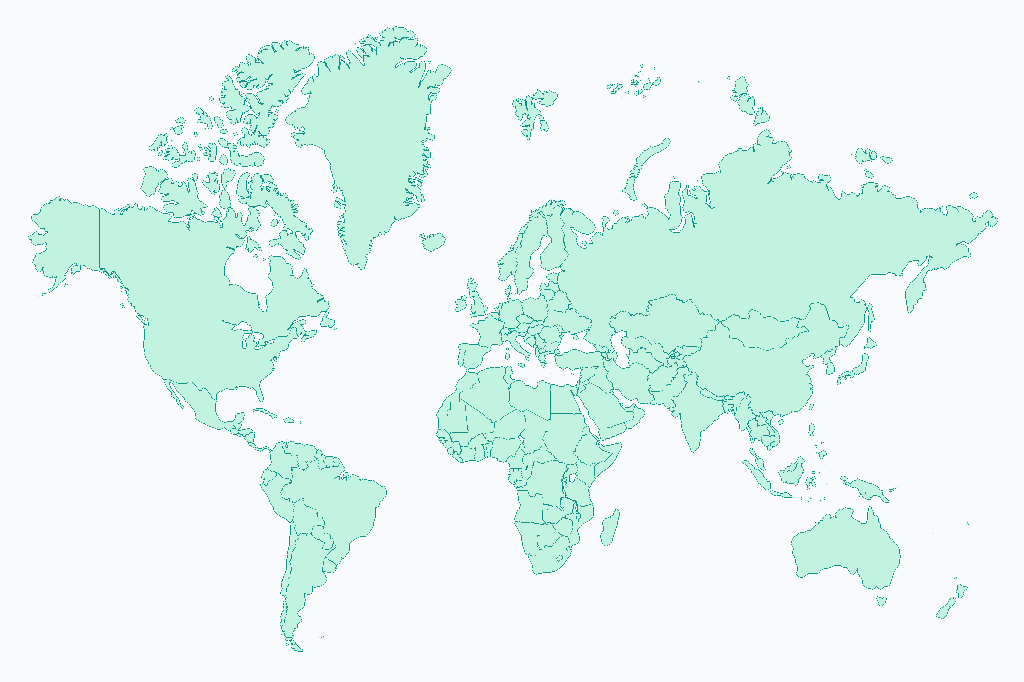
From startups to established companies, arbeituhr helps modern teams stay organized across locations, time zones, and working styles.
Global
Teams & time zones
Hybrid
Office & remote ready
One clock
Attendance to leave
Simple for employees. Clear for managers. Practical for the business.
Focus on your work.
Keep your team moving.
Run workforce operations clearly.
Traditional tools
arbeituhr
ONE CLOCK
Bring attendance, project time, absences and team visibility together.
Contact
Questions, a demo, or a rollout plan — send a note and we’ll follow up.
 arbeituhr
Make working time easier to understand for everyone on your team.